
WiFi Dead Zones: What Causes Them and How to Fix Them
What Exactly Is a WiFi Dead Zone?
A WiFi dead zone is an area within a property where a wireless network signal is too weak or inconsistent to provide a reliable connection. In some cases, devices may not detect the network at all. In other situations, they may connect but experience slow speeds, dropped connections, buffering, or interruptions. Dead zones can occur in almost any building, regardless of the internet plan or router being used. A property may have excellent WiFi coverage near the router but experience significant connectivity problems in distant rooms, storage areas, hallways, basements, or upper floors.
For commercial facilities, dead zones can create more serious concerns. Wireless security cameras may lose their network connection, connected equipment may become difficult to access, and employees may experience interruptions when using business applications. The important thing to understand is that WiFi dead zones are not always caused by a poor internet connection. Often, the problem involves how the wireless signal travels throughout the building and how the network infrastructure is configured.
The Most Common Causes of WiFi Dead Zones
Several factors can contribute to weak wireless coverage. Identifying the actual cause is important because the most effective solution depends on the specific conditions inside the property.
1. Thick Walls and Building Materials
One of the most common reasons WiFi signals struggle to reach certain areas is interference from building materials. Wireless signals must travel through walls, floors, ceilings, and other physical obstacles. Some materials weaken these signals more than others. Concrete, brick, stone, metal, and reinforced building structures can significantly reduce wireless signal strength. This is particularly common in industrial facilities, commercial buildings, and properties with concrete construction.
Even seemingly ordinary materials can affect wireless performance when multiple walls and obstacles separate a device from the router. For example, a wireless access point located in an office may provide excellent coverage in nearby rooms but struggle to reach a warehouse or conference room separated by several walls. Installing additional equipment without evaluating the building structure may not resolve the problem.
2. Poor Router Placement
Router placement plays a major role in wireless coverage. Unfortunately, many routers are installed wherever the internet connection enters the building, regardless of whether that location provides optimal coverage. Placing a router inside a cabinet, behind furniture, near metal equipment, or in a distant corner of the property can limit how effectively the wireless signal travels.
In larger buildings, a single centrally located router may still be insufficient to provide consistent coverage across every floor and room. A better approach involves evaluating the property's layout and identifying strategic locations for wireless access points. Proper positioning can help distribute the signal more evenly and reduce areas with poor connectivity.
3. Wireless Interference From Other Devices
WiFi operates using radio frequencies that can be affected by other wireless networks and electronic devices. In apartments, office complexes, and densely populated commercial areas, neighboring networks may compete for available wireless channels. Other sources of interference can include Bluetooth equipment, certain wireless electronics, and industrial devices.
When several wireless networks operate in close proximity, congestion can reduce performance and create inconsistent connections. Even when the signal appears strong, interference can make the network feel slow or unreliable. Proper channel selection, access point configuration, and network planning can help minimize these issues.
4. Distance From the Wireless Router
Wireless signals become weaker as the distance between a device and its access point increases. Although modern routers can provide substantial coverage under favorable conditions, their performance depends heavily on the surrounding environment. Large properties often exceed the practical coverage capabilities of a single wireless router. This is particularly true when the building contains multiple floors, separate sections, or extensive interior walls. Businesses operating warehouses, office buildings, and large commercial facilities should not assume that one router can support every connected device throughout the property.
5. Too Many Connected Devices
Modern networks often support far more devices than they were originally designed to handle. Computers, smartphones, printers, cameras, wireless access points, smart devices, and other equipment can all compete for network resources. When too many devices share limited wireless capacity, performance can decline. This may result in slower connections, increased latency, and inconsistent communication between devices. Adding more access points can help distribute wireless connections, but the network must also have sufficient capacity and proper configuration to support the total workload.
How WiFi Dead Zones Affect Commercial Security Systems
For businesses, WiFi dead zones are more than an inconvenience. They can affect the performance of connected security equipment and interfere with important operational processes. Modern commercial security systems frequently rely on network connectivity to support surveillance, monitoring, and access management. When wireless communication becomes unreliable, certain equipment may experience interruptions.
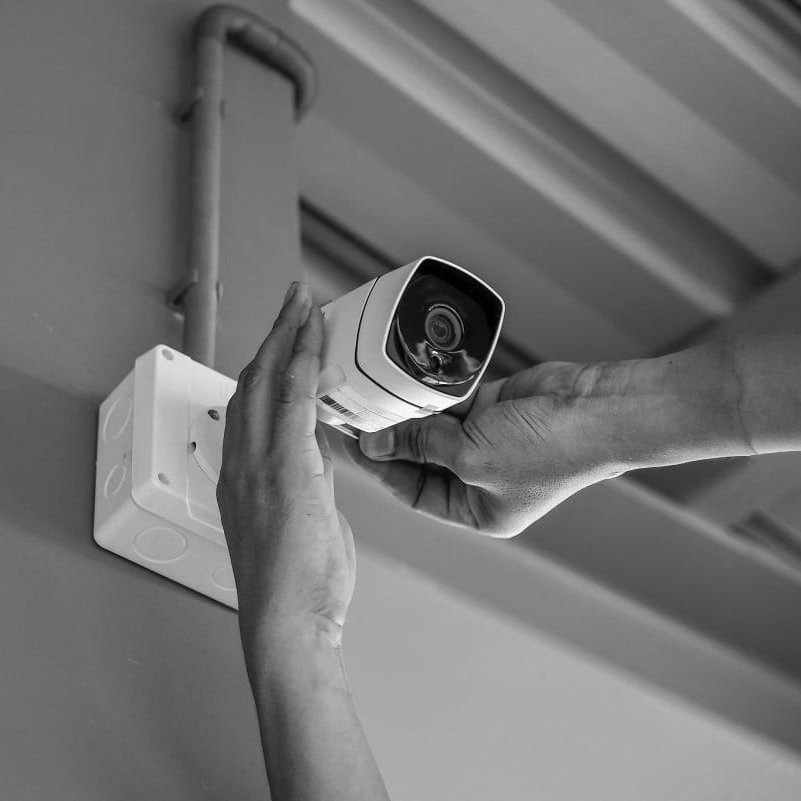
For example, wireless security cameras can lose connectivity when installed in areas with poor signal coverage. Remote viewing applications may become less responsive, and communication between devices may be interrupted. Other network-connected equipment can experience similar challenges. Depending on the system design, connectivity problems may affect wireless access control devices, monitoring equipment, and other connected security technologies.
It is important to recognize that not every security device should rely on WiFi. Critical equipment may benefit from wired Ethernet connections, which can provide more predictable network performance. Power over Ethernet (PoE) can also simplify installations by delivering both power and data through compatible network cables.
The Best Ways to Fix WiFi Dead Zones
Once the source of a wireless coverage problem has been identified, there are several ways to improve network performance. The right solution depends on the property's size, layout, building materials, and connected equipment.
Upgrade Your Wireless Router
Older routers may not provide the performance, capacity, or wireless technology needed to support modern connected environments. Replacing outdated equipment with a more capable router can improve coverage and network management. However, upgrading the router alone will not necessarily eliminate dead zones throughout a large building. If structural obstacles or excessive distances are the primary problem, additional network infrastructure may still be necessary.
Install Strategically Positioned Wireless Access Points
Wireless access points are among the most effective solutions for expanding coverage throughout larger properties. Unlike traditional WiFi extenders, access points can connect directly to the network through Ethernet cabling. This provides a stronger foundation for distributing wireless connectivity throughout the building.
Multiple access points can be positioned in different sections of a property to improve coverage and support connected devices. Proper configuration is important to ensure that access points work together efficiently without creating unnecessary interference. For commercial facilities, access point placement should consider employee workspaces, security equipment locations, warehouses, conference rooms, and other areas requiring dependable connectivity.
Run Ethernet Cabling to Important Locations
One of the most dependable ways to improve network infrastructure is to install Ethernet cabling where wired connectivity is beneficial. Ethernet connections are less vulnerable to wireless interference and can provide consistent performance for stationary equipment. This is especially useful for desktop computers, network switches, compatible security cameras, and wireless access points.
Running Ethernet to strategically selected locations also creates opportunities for future network expansion. For businesses that depend on connected security equipment, structured cabling can provide an important foundation for long-term system reliability.
Consider a Professionally Designed Mesh Network
Mesh WiFi systems use multiple interconnected devices to distribute wireless coverage throughout a property. They can be helpful in environments where installing Ethernet cabling is difficult or where flexible wireless coverage is needed. Unlike traditional extenders, mesh systems are designed to operate as a coordinated network. Depending on the equipment, they may use dedicated wireless connections or wired Ethernet backhaul between nodes.
However, mesh WiFi is not automatically the best solution for every commercial property. Building materials, device density, bandwidth requirements, and security equipment needs should all be considered before selecting a system.
Reduce Network Congestion
Sometimes the problem is not the physical coverage area but the amount of traffic moving through the network. Businesses with numerous connected devices may benefit from better network management, appropriate equipment upgrades, and separating certain types of network traffic.
For example, security equipment, employee devices, guest WiFi, and business applications may benefit from network segmentation. Properly configured VLANs can help organize traffic and separate different categories of connected devices. This approach can improve network organization and support more effective security management when implemented correctly.