
Home Network & WiFi Services
Home Network Overhaul
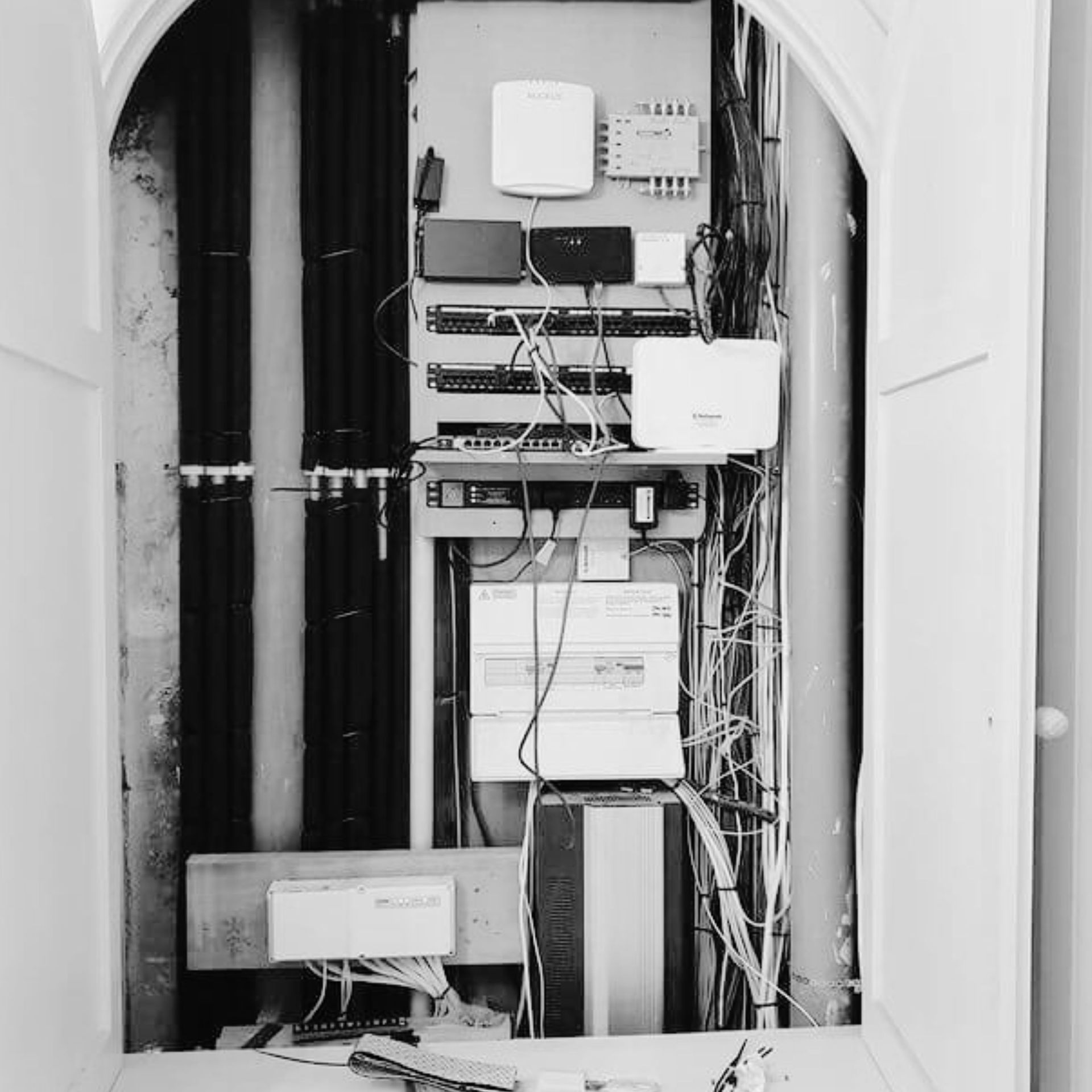
When Your Home Network Needs a Fresh Start
Your home network is the foundation behind much of the technology you use every day. Your WiFi, smart TVs, security cameras, home office, gaming systems, smart-home devices, and other connected technology all rely on it to communicate and work properly. But networks often grow without a plan. You may have started with a basic router and gradually added a WiFi extender, a few smart devices, cameras, streaming equipment, and other technology over the years. Eventually, you may find yourself dealing with slow internet, devices that disconnect, WiFi that doesn't reach certain areas, or a collection of equipment you're not even sure is still necessary.
A home network overhaul is about taking a step back and looking at the network as a whole. Huntington Security Systems can evaluate your existing setup, identify what's causing problems, and develop a better network infrastructure based on your home and how you actually use it. Sometimes that means improving what you already have. Other times, the network has outgrown its original design and needs rebuilding.
What Is a Home Network Overhaul?
A home network overhaul is a comprehensive evaluation and improvement of your home's network infrastructure. Instead of troubleshooting one singular device or adding another piece of equipment every time a problem occurs, we assess how everything is connected and determine whether the network meets your home's demands. Depending on what we find, an overhaul may include:
- Replacing outdated network equipment
- Improving WiFi coverage
- Installing or upgrading Ethernet cabling
- Adding wireless access points
- Replacing an ineffective mesh or extender setup
- Upgrading network switches
- Organizing network equipment and cabling
- Improving the location of network equipment
- Creating a more reliable wired network
- Supporting smart-home and security devices
- Improving connectivity for home offices and entertainment systems
- Preparing the network for future technology
The goal is to identify what your network actually needs and make changes that solve the problems you're experiencing.
Why Is My Home Network So Important?
It is easy to think of your network as simply the thing that provides WiFi. In reality, it often connects much more of your home. Your televisions, computers, phones, security cameras, smart locks, speakers, thermostats, gaming systems, and other devices may all depend on your network. If the underlying network is unreliable, problems can show up across multiple systems.
For example, a security camera that keeps disconnecting may not have a problem with the camera itself. Your smart TV buffering may not mean the television is defective. A video call that repeatedly freezes may not mean your computer is the issue. The network connecting these devices could be the common factor. A well-designed home network gives your technology a more reliable foundation and makes it easier to add new devices without creating another problem every time you connect something new.
Signs Your Home Network May Need an Overhaul
You don't necessarily need to understand networking to recognize that something isn't working correctly. You may benefit from a closer look at your network if:
- Your WiFi frequently drops or disconnects.
- Internet speeds vary significantly throughout your home.
- Certain rooms consistently have poor WiFi.
- You've added multiple WiFi extenders over time.
- Your mesh system isn't performing as expected.
- Smart devices regularly go offline.
- Security cameras lose their connection.
- Streaming frequently buffers
- Your home office connection is unreliable.
- You have cables and networking equipment scattered around your home.
- You aren't sure what your existing network equipment does.
- Your router or other equipment is several years old.
- Adding new devices seems to make your network less reliable.
- Your network works, but doesn't perform the way you expect it to.
One problem doesn't necessarily mean you need to replace everything. But if you're repeatedly fixing the same issues, it may be time to look at the bigger picture.
Why Adding More Equipment Isn't Always the Answer
It's easy to keep adding equipment when you have a network problem. A weak WiFi signal leads to an extender. Another dead zone leads to another extender. A disconnected device leads to a new router. Before long, you may have several different pieces of equipment trying to solve problems that stem from the same underlying network. More equipment doesn't necessarily mean a better network. Sometimes the problem is where you place your router. Sometimes the equipment is outdated. Sometimes your home needs wired connections or additional access points. Sometimes the network wasn't designed to support the number of devices using it now. Our team at Huntington Security Systems looks at why the problem is happening before recommending another piece of equipment.
Start With What You Already Have
The good news is that a network overhaul doesn't automatically mean starting from scratch. We can evaluate your existing equipment and infrastructure. We look at what's working, what's outdated, what may be limiting performance, and what can continue to be useful. If your existing equipment can stay in the solution, we'll create a plan incorporating it. If certain components are creating limitations or no longer make sense for your home, we'll explain what we recommend replacing and why. This approach helps you avoid spending money on equipment that doesn't address the actual problem.
Improving Your Home's Network Infrastructure
The infrastructure behind your network can greatly affect how well everything performs. In some homes, upgrading Ethernet cabling or adding wired connections can make a significant difference. In others, reorganizing equipment, replacing an outdated switch, or improving the way wireless access points connect to the network may be the right solution. Huntington Security Systems can provide home network installation and upgrades that address these underlying infrastructure needs. Where appropriate, we can install Ethernet cabling, improve network connections, add switches, organize equipment, and create a cleaner foundation for your home's technology.
Cleaning Up a Messy Network
Over time, home networking equipment can become difficult to manage. Routers, switches, cables, access points, and other equipment may have been added at different times by different people. Cables can become tangled, equipment may be sitting in inconvenient locations, and you may not know which devices are still necessary. A home network overhaul can also be an opportunity to clean things up. We can organize network equipment and cabling, improve how components are connected, and create a setup that's easier to understand and maintain. A cleaner network can make it easier to troubleshoot problems and plan future upgrades.
Build a Network That Can Grow With Your Home
Your network shouldn't only work for the devices you have today. Technology keeps changing, and we see that homeowners add more connected devices every year. You may eventually want additional security cameras, smart-home equipment, a new home office, outdoor WiFi, upgraded entertainment systems, or other connected technology. When we overhaul a network, we can consider where your technology is headed rather than designing only around your current setup. That can make future additions easier and help prevent you from rebuilding the network every time you add another device.
A Network That Works for Your Home
You shouldn't have to restart your router every time something stops working or keep buying equipment to compensate for a network that has outgrown its original setup. Huntington Security Systems can take a comprehensive look at your home network, identify what's causing problems, and create a better foundation for the technology you rely on every day. Whether your network needs a few targeted improvements or a complete overhaul, we'll develop a solution around your home.
How do I know if my home network needs an overhaul?
If you're repeatedly dealing with slow WiFi, dropped connections, devices going offline, poor coverage, or networking equipment that has accumulated over time, it may be worth evaluating the network as a whole. You don't need to know exactly what's wrong before contacting us.
Can you fix my WiFi without replacing everything?
In many cases, yes. Some problems can be addressed through better equipment placement, configuration changes, additional access points, improved cabling, or other targeted improvements. We'll evaluate what you already have before recommending replacements.
Can you work with the networking equipment I already have?
Yes. We'll evaluate your existing equipment and determine whether it can stay in your network. If something needs to be replaced, we'll explain why rather than assuming everything needs to go.
Can you install Ethernet in an existing home?
Yes. Depending on the structure and your home's layout, we can install Ethernet and other network cabling to provide reliable wired connections for computers, televisions, access points, security equipment, and other devices.
Can a network overhaul improve my WiFi?
It can, especially when poor WiFi stems from the underlying network infrastructure, equipment, or how wireless coverage is distributed throughout the home. Improving the wired network, adding access points, replacing outdated equipment, or changing the overall design can all improve WiFi performance.
Can my network support more smart-home devices?
A network overhaul can be a good opportunity to prepare for additional connected devices. We'll consider what you use now and what you may want to add later when developing recommendations.