What Should a Commercial Security System Include?
What Is a Commercial Security System?
A commercial security system is a coordinated collection of technologies and procedures designed to help protect business property, employees, visitors, equipment, and other valuable assets. Depending on the facility, it may include video surveillance, intrusion detection, electronic access control, alarm monitoring, and integrated network infrastructure. Rather than treating each device as a separate solution, an effective commercial security plan considers how the different components work together.
For example, an access control system can restrict entry to authorized personnel, while security cameras provide visual awareness around entrances and sensitive areas. An intrusion alarm can detect activity in protected spaces outside business hours, and professional monitoring may help coordinate a response when qualifying alarm events occur.
A comprehensive commercial security system may include:
- Security cameras and video surveillance.
- Electronic access control and credential management.
- Intrusion detection and alarm systems.
- Professional alarm monitoring, where appropriate.
- Perimeter and exterior security measures.
- Network infrastructure and cybersecurity protections.
- Backup power and system reliability measures.
- Remote management and reporting capabilities.
The right combination depends on the property's layout, the level of risk, and the business's operational requirements.
What Should a Commercial Security System Include?
Every business has different priorities, but several core components form the foundation of an effective commercial security strategy.
1. Commercial Video Surveillance Systems
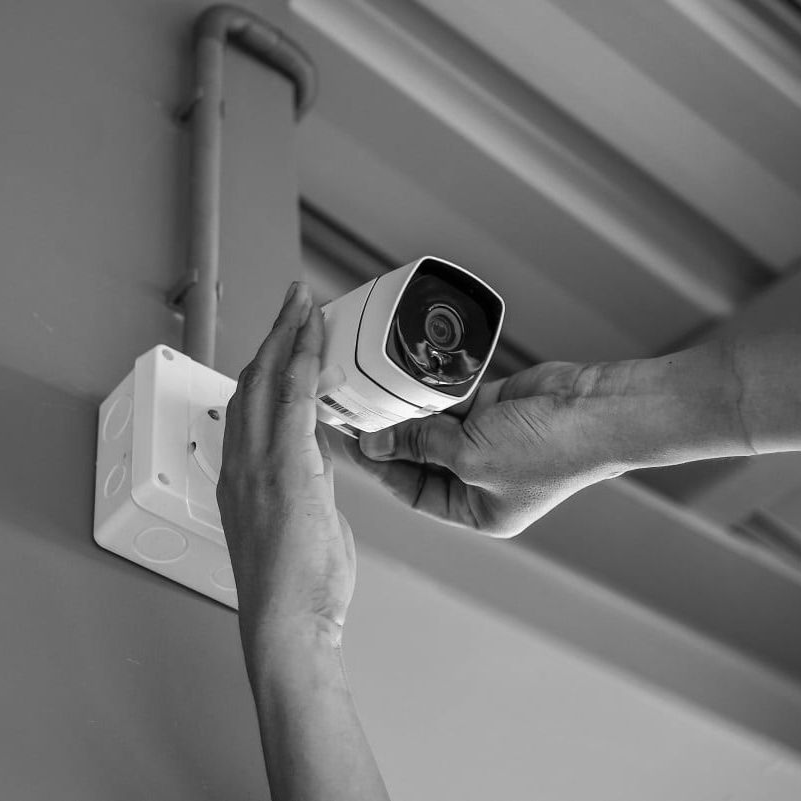
Video surveillance is one of the most important components of commercial security. Strategically placed cameras help businesses monitor entrances, exits, parking areas, loading zones, inventory storage, and other areas where visibility matters. Modern surveillance systems may support live viewing, recorded footage, motion-based notifications, and remote access through compatible devices. Depending on the equipment, businesses may also benefit from features such as low-light imaging, high-resolution video, and video analytics.
When planning commercial surveillance, consider:
- Entrance coverage: Monitor primary doors, employee entrances, and other access points.
- Interior visibility: Identify areas such as reception desks, inventory rooms, and restricted workspaces that may require monitoring.
- Exterior surveillance: Evaluate parking lots, loading docks, building perimeters, and delivery areas.
- Recording and storage: Determine how footage will be stored and how long it needs to remain available.
- Remote access: Decide which authorized personnel need to view cameras away from the premises.
- Privacy requirements: Ensure camera placement and recording practices comply with applicable laws and workplace policies.
Camera placement should be based on the property's layout rather than simply installing as many devices as possible. A professional assessment can identify blind spots, evaluate lighting conditions, and help select equipment suited to each location. For Orange County businesses, a properly planned surveillance system can provide greater visibility into daily operations while supporting investigations when incidents occur.
2. Electronic Access Control Systems
Access control determines who can enter a building or specific areas within it. Unlike traditional keys, electronic access control systems can provide more flexible credential management and better visibility into certain access events.
Common access control options include keycards, key fobs, PIN codes, mobile credentials, and other approved identification methods. Depending on the system, businesses may assign different access permissions based on employee roles, work schedules, and restricted areas. Access control is particularly valuable for offices, medical facilities, warehouses, educational environments, and multi-tenant commercial buildings.
A well-designed system can help businesses:
- Restrict access to sensitive rooms and storage areas.
- Issue and deactivate employee credentials.
- Manage access for contractors and authorized visitors.
- Establish different permissions for different departments.
- Review available access event records.
- Integrate compatible entry points with video surveillance.
For example, employees may need access to general office areas while only authorized personnel can enter server rooms or inventory storage. Electronic credentials make it easier to manage these differences without distributing numerous physical keys. Access control should also be designed around emergency egress requirements, accessibility needs, and applicable building and fire codes. The goal is to improve entry management without compromising safe evacuation.
3. Commercial Intrusion Alarm Systems
An intrusion alarm system helps detect unauthorized entry into protected areas. Depending on the property's requirements, the system may use door and window contacts, motion detectors, glass-break detectors, and other sensors. When a qualifying event occurs, the system may activate an audible alarm, notify designated users, or communicate with a monitoring service.
Commercial alarm systems are especially useful for businesses that store valuable inventory, equipment, confidential records, or other assets that require protection outside normal operating hours.
When evaluating an intrusion alarm, consider:
- Which doors, windows, and interior areas require protection.
- Whether different departments need separate alarm zones.
- How employees will arm and disarm the system.
- Whether after-hours access needs to be managed.
- What happens when communication or power is interrupted.
- Whether professional monitoring is appropriate for the business.
The system should be configured to reflect actual business operations. For instance, a cleaning crew may require access during certain hours, while inventory areas remain restricted. Appropriate schedules and permissions can help reduce unnecessary alarms while maintaining protection.
4. Professional Alarm Monitoring
Professional alarm monitoring can provide an additional layer of support when an alarm system detects a qualifying event. Depending on the service arrangement and event, a monitoring service may attempt to contact designated personnel or request emergency assistance according to established procedures. This can be valuable for businesses that are unoccupied overnight, operate across multiple shifts, or cannot continuously monitor their own security equipment.
Before choosing a monitoring service, evaluate:
- Monitoring availability and service terms.
- Procedures for verifying and responding to alarms.
- Primary and backup communication methods.
- Backup power arrangements.
- Contact lists and escalation procedures.
- Applicable fees and contractual requirements.
Professional monitoring does not eliminate every risk or guarantee a particular response time. It should be considered one part of a broader security plan that includes appropriate equipment, clear procedures, and regular system testing.
5. Perimeter and Exterior Security
Commercial security should extend beyond the building's interior. Parking lots, exterior doors, loading docks, service entrances, and property boundaries can all present potential vulnerabilities. Depending on the facility, perimeter protection may include exterior cameras, appropriate lighting, gate access control, intrusion sensors, and other measures designed for the site's layout.
Warehouses and industrial properties may require particular attention to vehicle entrances, delivery areas, equipment storage, and less frequently used access points. Retail properties may benefit from better visibility around rear entrances and outdoor storage areas.
Exterior equipment should be selected for its intended environment and installed according to manufacturer specifications. Lighting and camera placement should work together to support useful visibility without creating unnecessary glare or obstructing neighboring properties. A professional site assessment can help determine which perimeter measures offer the greatest practical benefit.
6. Intercom and Visitor Management Systems
Businesses often need to manage visitors, deliveries, contractors, and other individuals who do not have permanent access credentials. Video intercoms and visitor management systems can help streamline these interactions while maintaining control over entry.
A video intercom may allow reception staff or authorized employees to see and speak with someone at a secured entrance before granting access. Visitor management tools may also support registration, identification procedures, and records of approved visits, depending on the system.
These solutions can be particularly useful for office buildings, medical practices, gated commercial facilities, and properties with limited reception coverage. Visitor procedures should reflect the business's security requirements and applicable privacy obligations. Collecting only necessary information and limiting access to visitor records helps support responsible information management.
7. Network Infrastructure and Cybersecurity
Modern commercial security systems increasingly rely on network connectivity. IP cameras, access control controllers, remote management platforms, and other devices may communicate through the business's local network or internet connection. As a result, network reliability and cybersecurity are important parts of commercial security planning.
Businesses should consider:
- Reliable wired connections for appropriate equipment.
- Secure network configurations and strong credentials.
- Firmware and software updates.
- Appropriate separation between security devices and general business traffic.
- Restricted administrative permissions.
- Secure remote access for authorized personnel.
- Backup connectivity where operationally necessary.
A network issue can affect remote viewing, cloud services, or other connected features. However, the precise impact depends on the system design; some devices can continue operating locally when internet access is unavailable. Planning for these dependencies helps businesses understand how their security equipment will perform during outages and which functions may be affected.
8. Backup Power and System Reliability
A commercial security system should be evaluated for how it handles power interruptions and communication failures. Without suitable backup arrangements, a power outage may interrupt cameras, network equipment, access control, or alarm components. Depending on the system, backup measures may include battery-backed alarm panels, uninterruptible power supplies, backup power for network switches, or alternative communication paths.
When planning for reliability, identify which components are most important to maintain during an outage and how long they need to remain operational. Regular maintenance and testing are also essential. Businesses should establish procedures for checking cameras, testing alarm functions according to manufacturer guidance, reviewing access permissions, and addressing equipment faults.
How to Choose the Right Security System for Your Business
The best commercial security system is not necessarily the one with the most equipment. It is the one that addresses your property's risks while supporting daily operations.
Before selecting a solution, consider these factors:
- Business type: Retail stores, offices, warehouses, and industrial facilities have different security requirements.
- Property size: Larger facilities may need multiple camera zones, controlled entrances, and broader perimeter coverage.
- Operating hours: Determine how the system should function during business hours, overnight, and on weekends.
- Employee access: Identify who needs access to specific rooms, entrances, and equipment.
- Valuable assets: Prioritize areas containing inventory, sensitive information, machinery, or critical infrastructure.
- Integration: Evaluate whether cameras, alarms, and access control can work together.
- Scalability: Consider whether the system can accommodate additional employees, locations, or equipment.
- Maintenance and support: Understand service requirements, software updates, and the availability of technical assistance.
A professional assessment can help prioritize investments and avoid paying for features that do not address your business's actual needs.