
Signs Your Business Needs a Security System Upgrade
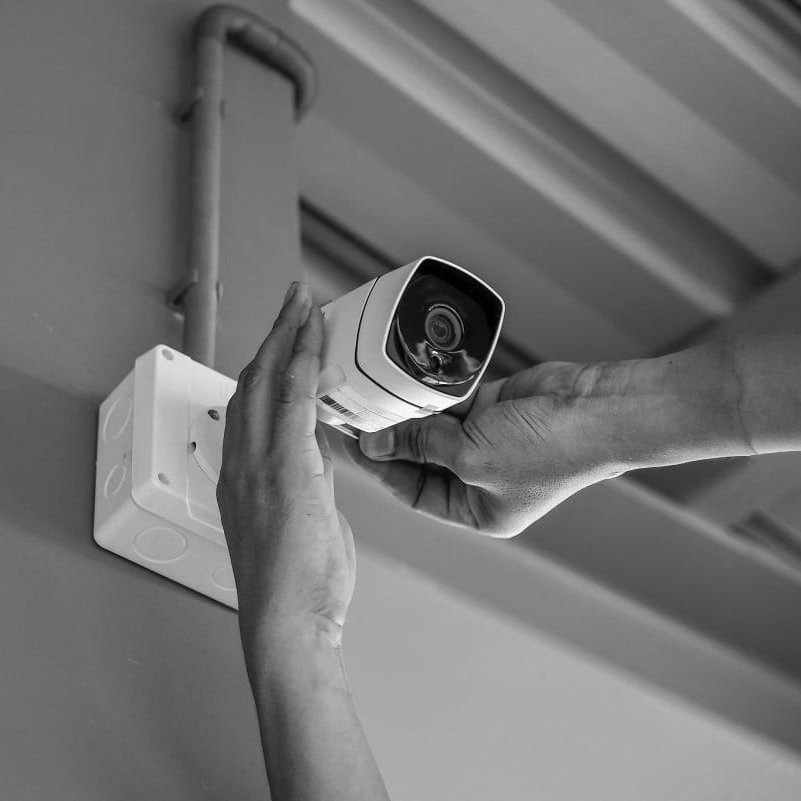
Signs To Upgrade Your Security System
Business security is not something that should be overlooked or treated as a one-time investment. As technology evolves, commercial properties face changing security challenges that require dependable equipment, updated systems, and ongoing maintenance. A security system that provided adequate protection several years ago may no longer meet the needs of a growing business. Outdated cameras, unreliable access control equipment, recurring system failures, and limited monitoring capabilities can all leave commercial facilities with security gaps that affect daily operations.
For business owners, facility managers, and commercial property operators, recognizing when it is time to upgrade security equipment is an important part of protecting employees, customers, inventory, and valuable assets. Modern security technology offers improved video quality, more advanced access management, better system integration, and greater flexibility. However, many businesses continue relying on aging equipment simply because it still appears to be working.
1. Your Security Cameras Produce Poor-Quality Video
One of the most noticeable signs that your business needs a security system upgrade is declining camera performance. Older surveillance cameras may produce grainy images, blurry footage, poor nighttime visibility, or recordings that lack sufficient detail. While these cameras may still technically function, they may not provide the image quality needed to identify important details during a security incident.
Modern commercial surveillance cameras offer improved resolution, image processing, low-light performance, and recording capabilities. Depending on the equipment selected, businesses may benefit from high-definition or 4K video, improved night vision, and more advanced monitoring features.
Video quality is particularly important in areas such as:
- Building entrances and employee access points.
- Parking lots and exterior property boundaries.
- Warehouses and inventory storage areas.
- Cash-handling and transaction locations.
- Loading docks and delivery entrances.
- Restricted rooms containing valuable equipment.
If your current cameras struggle to capture clear footage, upgrading to more capable surveillance equipment may provide significantly better visibility across your property. At HSS, we understand that video surveillance should provide dependable monitoring and useful footage when businesses need it most.
2. Your Security Equipment Experiences Frequent Failures
Security systems should operate consistently. While occasional maintenance issues can occur with any technology, repeated equipment failures are a warning sign that your existing infrastructure may be reaching the end of its useful life. Perhaps certain cameras regularly disconnect, recording equipment unexpectedly stops working, or access control devices become unreliable. These recurring problems can create unnecessary stress for employees and facility managers.
Older equipment may also become more difficult to repair as manufacturers discontinue products, replacement components become harder to find, and technical support options become limited. When maintenance costs begin increasing and equipment continues failing, replacing outdated components may be more practical than repeatedly repairing the same problems. A professional system evaluation can help determine whether individual devices need attention or whether a more comprehensive upgrade would provide better long-term reliability.
3. Your Business Has Expanded, but Your Security System Has Not
Business growth often brings new security responsibilities. Companies may add employees, expand into additional buildings, increase inventory, or introduce new areas that require monitoring. Unfortunately, security systems do not always grow alongside the businesses they are supposed to protect.
A surveillance system originally designed for a small office may not provide sufficient coverage after the company expands into a warehouse or additional commercial space. Similarly, an access control system that worked for a handful of employees may become difficult to manage when the workforce grows.
An outdated system may lack the camera capacity, network infrastructure, recording storage, or access management features needed to support an expanding operation. Upgrading your security infrastructure can help accommodate additional equipment and provide better visibility throughout your facility.
4. Your Access Control System Is Outdated
Managing who can enter your commercial property is one of the most important aspects of business security. Traditional keys and older access control systems can become difficult to manage, especially when employees, contractors, vendors, and visitors require different levels of access. If your business still relies on outdated locking technology or an access control system with limited administrative capabilities, it may be time to consider an upgrade. Modern electronic access control systems offer features that can make managing building entry more efficient.
Depending on the equipment, these systems may support:
- Keycards and electronic key fobs.
- Unique employee access credentials.
- Mobile-based access options.
- Scheduled access permissions.
- Entry and exit activity reporting.
- Restricted access to sensitive areas.
- Integration with compatible video surveillance systems.
These capabilities can help businesses establish more organized access management procedures. For example, when an employee leaves the organization, an administrator may be able to deactivate that person's electronic credentials without replacing physical locks or collecting multiple copies of keys. Businesses with several departments, buildings, or restricted areas may find modern access control especially valuable.
5. Your Security Cameras and Other Equipment Cannot Work Together
Modern commercial security systems increasingly rely on integrated technology. Video surveillance, electronic access control, alarms, and other connected devices can often be configured to work together through compatible management platforms. However, older equipment may operate independently and lack the ability to communicate with newer technologies.
This can make security management more complicated. Employees may need to switch between separate applications to review camera footage, monitor access activity, and manage different security devices. An upgraded system may provide more centralized management, allowing authorized personnel to review information and oversee compatible security technologies through a more organized interface.
For example, integrating video surveillance with electronic access control can help administrators associate entry events with corresponding camera footage. This additional information can make it easier to investigate incidents and understand activity around secured entrances. Before upgrading, businesses should evaluate equipment compatibility and determine which integration features would provide meaningful operational benefits.
6. Your Business Has Blind Spots and Unmonitored Areas
Every commercial property has areas that may require additional attention. Parking lots, exterior entrances, loading docks, storage rooms, hallways, and perimeter boundaries can all present security challenges. If your current surveillance system leaves important areas uncovered, it may not provide the level of visibility your business requires. Blind spots can develop for several reasons. Businesses may expand their facilities, rearrange equipment, construct new walls, or change how certain areas are used. Cameras that were positioned appropriately during the original installation may no longer provide effective coverage.
An updated surveillance system can help address these limitations through improved camera placement, additional devices, and more suitable equipment. Modern cameras may also offer features such as wider viewing angles, improved low-light performance, and specialized imaging capabilities. A security assessment can help identify areas where coverage is insufficient and determine what changes may improve overall visibility.
7. Your Business Cannot Monitor Its Property Effectively Remotely
Remote security monitoring has become an important feature for businesses with multiple facilities or managers who cannot remain on-site throughout the day. Modern surveillance systems may allow authorized users to view camera footage through secure computers, tablets, or mobile applications. This can make it easier to check on entrances, review activity, and maintain visibility when away from the property.
If your current security system does not support convenient remote access, or if its remote viewing capabilities are unreliable, an upgrade may be worth considering. Older equipment may have limited compatibility with modern devices, outdated software, or insufficient network capabilities.
Upgrading to a compatible surveillance platform can provide more convenient access to security information, depending on the system design. For businesses managing multiple commercial properties, centralized monitoring capabilities can also make security oversight more organized.
8. Your Security System Is Difficult to Maintain
Maintenance is essential to keeping commercial security equipment operating properly. However, older systems can become increasingly difficult and expensive to maintain. Some businesses continue using outdated equipment because replacing an entire system seems expensive or disruptive. Unfortunately, delaying necessary upgrades can lead to repeated repair costs, equipment downtime, and additional security concerns.
Common maintenance warning signs include:
- Cameras that frequently lose their connections.
- Recording equipment that struggles to store footage.
- Outdated software that no longer receives appropriate support.
- Access control readers that operate inconsistently.
- Replacement parts that are difficult to obtain.
- Repeated service calls for the same equipment problems.
A comprehensive system evaluation can help determine whether continued maintenance is reasonable or whether upgrading selected components would be more beneficial. At HSS, we recognize that dependable security involves more than installing equipment. Ongoing services and maintenance are important parts of supporting long-term system performance.
9. Your Business Is Experiencing Increased Security Risks
Security requirements can change as a business grows, its operations evolve, and its surrounding environment changes. A company may begin handling more valuable inventory, introduce expensive equipment, expand its operating hours, or increase the number of employees and visitors entering its facility. These changes may require additional surveillance coverage, improved access management, or more comprehensive security monitoring.
An older system may not provide the features or flexibility needed to address these evolving requirements. For example, a warehouse that originally needed only basic entrance monitoring may eventually require cameras throughout storage areas, loading docks, parking facilities, and restricted equipment rooms.
Similarly, an office building may need more advanced access control as additional departments and sensitive areas are introduced. Businesses should periodically review their security requirements rather than assuming that an existing system will remain adequate indefinitely.
10. Your Security Equipment Is No Longer Supported or Compatible With Modern Technology
Technology changes quickly, and security equipment is no exception. Manufacturers periodically discontinue older products, introduce new software platforms, and release updated hardware with improved capabilities. When security equipment becomes obsolete, businesses may encounter compatibility problems and reduced support options.
Older cameras may not integrate with newer recording equipment. Outdated access control systems may not support modern credentials or management software. Network devices may also lack the performance required by newer security technologies.
Continuing to rely on unsupported equipment can make future upgrades more complicated. Businesses should consider whether their current security infrastructure can accommodate new technologies and whether replacement components are readily available. Planning upgrades before equipment becomes completely unusable can help reduce unexpected disruptions.
What Should Businesses Consider Before Upgrading a Security System?
Recognizing the need for an upgrade is only the first step. Businesses should also evaluate their requirements carefully to determine which equipment and services will provide the greatest benefit. A successful upgrade should address existing problems while supporting future business needs.
Some important considerations include:
- Property size and layout: Determine which areas require surveillance and whether additional cameras or access control devices are necessary.
- Security objectives: Identify what the business needs to protect, including employees, inventory, equipment, restricted areas, and property entrances.
- Existing equipment: Evaluate which components remain useful and which should be replaced.
- System compatibility: Determine whether new cameras, access control devices, recording equipment, and management software can work together.
- Network infrastructure: Ensure that the supporting network can accommodate additional connected equipment and data requirements.
- Future expansion: Consider whether the upgraded system can support additional buildings, cameras, and access points as the business grows.
- Maintenance requirements: Understand what ongoing service and maintenance will be necessary to keep the system dependable.
Taking these factors into account can help businesses avoid purchasing equipment that does not adequately address their security requirements.